A good Equalizer is the base of good sound. Whether you're mixing music, streaming, or trying to improve your headphones' sounds, EQ helps you efficiently adjust frequencies and balance audio. With so many free plugins available, professional-quality sound is no longer locked in premium tools or software. Equalizer APO plugins help turn your Windows system into a powerful, customizable audio workstation for everyone.
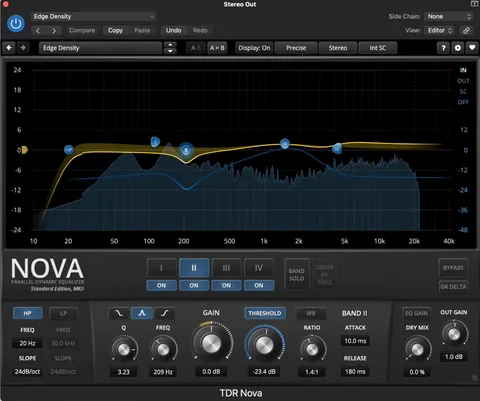
TDR Nova and TDR VOS SlickEQ are 2 free Tokyo Dawn EQ plugins. Being specialised in dynamic EQ, Nova helps you attenuate frequency bands while the EQ compensates for gain changes. SlickEQ is less technical, helping producers of all experience levels to adjust colors and saturation conveniently.
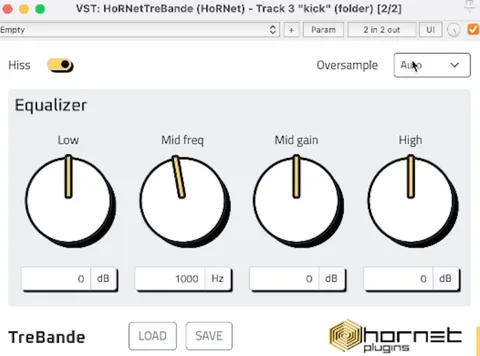
HoRNet TreBande is very efficient and easy to use, placing more emphasis on character than on transparency. It's inspired by classic hardware mixer EQs; therefore, it adds a touch of analog-style coloration to your audio. It adds subtle saturation that works perfectly on drums and buses, benefiting from extra warmth and grit.
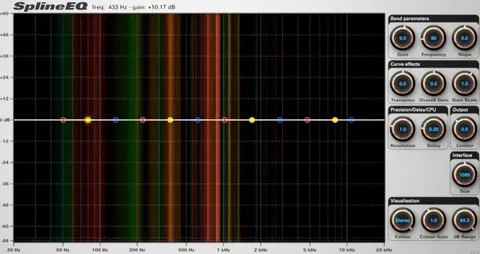
Photosounder SplineEQ works differently from traditional EQ plugins. It uses a smooth spline curve workflow that helps you define frequencies using fluid movement and sweeping. It makes adjustments fast, precise, and intuitive. The paid version expands up to 60 bands, unlocking a range of complex filtering effects for users who want to push their audio further.
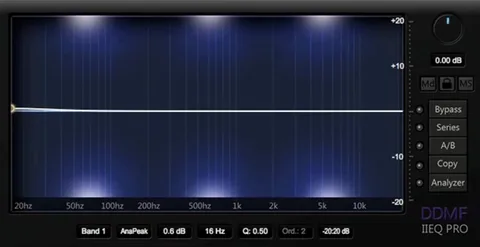
ColorEQ and IIEQ are two free versions of DDMF Equalizer plugins. The interfaces of both these plugins are small and a bit cramped. However, both are highly capable of fixing problems and shaping audio cleanly and simply.
A simple, feature-rich 5-band, and highly precise plugin, perfect for detailed adjustments. The built-in saturation, ability to add harmonics to individual bands, and controlled EQing with the Dry/Wet mix knob are a few unique features of the MEqualizer plugin. It provides seven filter types per band and a real-time frequency spectrum display in the background, making it ideal for music producers who love visual feedback.
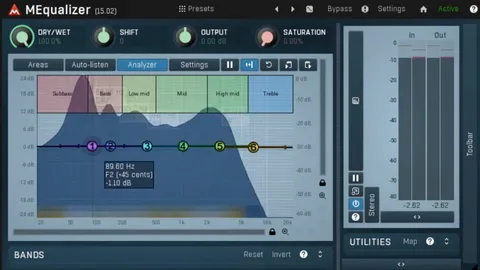
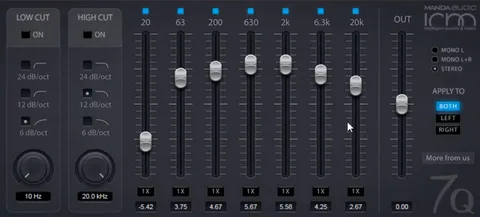
Manda Audio 7Q provides a set of seven predefined frequency bands with preset Q values. It also gives you low and high cut filters for the best results. This plugin is developed for speed and solid sound quality rather than endless customization. 7Q works best for graphic EQ, which solves problems without dragging you into hours of editing.
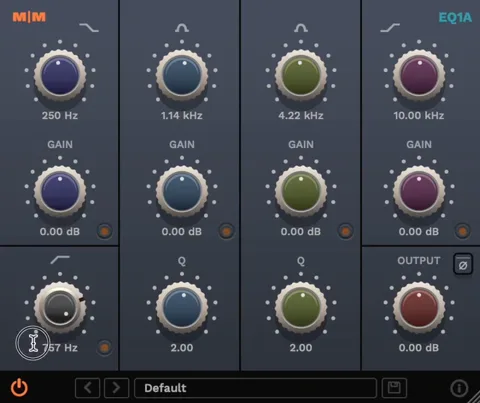
Mellowmusa EQ1A provides an analog-style EQ with simple, light processing. It is specifically designed for users who want a vintage tone without the heavy CPU hit. Classic EQs, on the other hand, seem to work well but consume significant system resources. If you like classic hardware EQ but want something efficient and practical for everyday tasks, EQ1A can be a good choice.
ReaEQ is a lightweight, transparent, precise, and highly flexible EQ plugin. It can be downloaded for free as part of the Cockos ReaPlugs VST FX suite. It offers unlimited bands and a range of filters, including shelf EQ, notch-pass, low-pass, high-pass, band-pass, and all-pass per band.
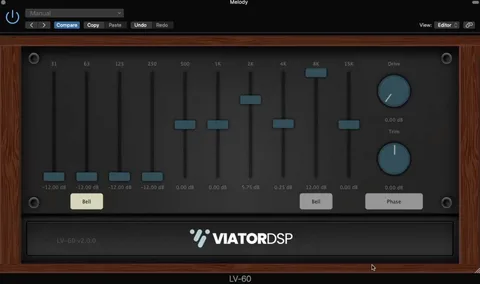
ViatorDSP offers a small trio of analog-inspired EQ plugins, named Radiant Q, LV-50A, and Graphic EQ. All three share a warm character and clean, usable interfaces that make them enjoyable to work across a range of sounds.
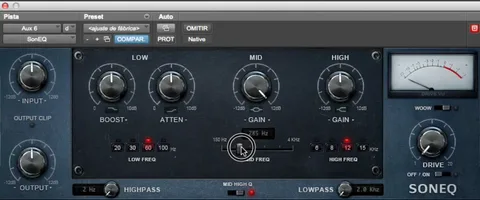
During the early 2010s, SonEQ was known as one of the best analog-inspired freeware EQ plugins. It is a user-friendly equalizer that combines traditional EQ features into a single professional package. The SonEQ plugin offers low, mid, and high-frequency band controls to fine-tune your sound as well as low and high pass filters to remove unwanted noise and hum from the signal.
Equalizer APO (Audio Processing Object) is a lightweight, open-source system for Windows that enhances and adjusts audio quality. It's like an all-rounder that works on all types of sounds - music, games, voice chat, and videos. The plugins expand the efficiency of Equalizer APO. With these EQ plugins, users can easily control their sound and add VST effects just like professionals.
The EQ Plugins enhance the efficiency and performance of Equalizer APO manyfold. With these plugins, you can go beyond basic EQ for full studio-style audio processing. The built-in filters are useful, but the additional plugins offer a broader range of options to enhance, improve, and customize the audio as per your requirements.
Honestly, you don't need multiple equalizers at the same time. Installing a single EQ plugin that fits your requirements is usually enough. Most EQs offer similar core functionality, with a few variations or standout features that set them apart. The quality of your mix largely depends on your mixing skills rather than on the specific EQ you choose.
However, sometimes, having more than one Equalizer plugin may help complete a project more efficiently. Different tools may offer unique features or workflows that help you complete a project faster and more conveniently.
Get Equalizer APO and start using these plugins to enhance your audio experience.
Download 32-bit Download ARM64